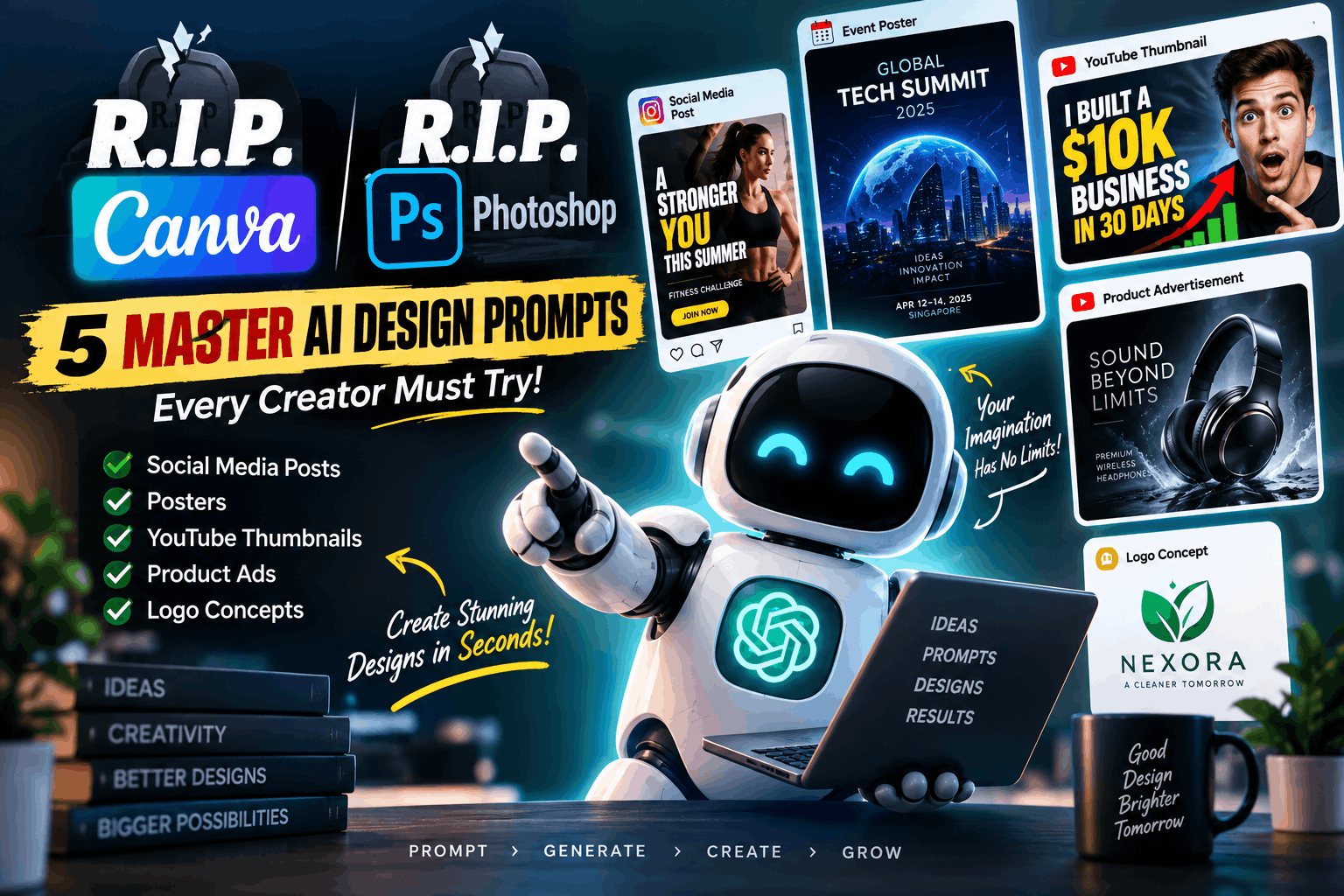
R.I.P. Canva! R.I.P. Photoshop! 🔥 5 MASTER AI Design Prompts Every Creator Must Try
Think you need advanced graphic design skills or expensive software to create professional-looking visuals? Not anymore.
AI-powered visual tools are changing the way creators, business owners, marketers, YouTubers, and designers create digital content. With the right prompts, you can generate ideas and visual concepts for social media posts, professional posters, YouTube thumbnails, product advertisements, and logo concepts in seconds.
💡 The Secret Is in the Prompt
A simple instruction such as "Create a professional poster" may produce an ordinary result. A detailed prompt describing the visual style, composition, colors, lighting, mood, typography, aspect ratio, and intended audience gives the AI much stronger creative direction.
🚀 5 AI Design Prompts You Can Copy & Use
| # | Design Type | Best For |
|---|---|---|
| 01 | Social Media Graphics | Instagram, Facebook & social campaigns |
| 02 | Professional Posters | Events, businesses & promotions |
| 03 | YouTube Thumbnails | Creators & video marketing |
| 04 | Product Advertisements | E-commerce & brand campaigns |
| 05 | Logo Concepts | Businesses, startups & creators |
🟢 1. Social Media Graphic Generator
Instagram & Facebook Post Designer
🎯 The Goal: Create an eye-catching social media graphic that makes people stop scrolling and pay attention to your message.
📌 Best for:
- Business promotions
- Product launches
- Special offers
- Workshops and webinars
- Festival campaigns
- Brand announcements
📋 Copy & Paste Prompt
Create a stunning, high-converting social media graphic for an Instagram/Facebook post about [Topic/Event].
Visual Style: Clean, modern minimalism with bold, high-contrast typography and subtle 3D lighting.
Composition: A compelling central focal visual, generous negative space, vibrant brand color palette [Example: Electric Blue and Matte Charcoal], and a crisp geometric layout.
Mood: Authoritative, energetic, modern, and aesthetically pleasing.
Format: 4:5 vertical portrait aspect ratio, ultra-high resolution, optimized for social media feeds.
🔵 2. Professional Poster Design Generator
Business & Event Poster Designer
🎯 The Goal: Create a cinematic, premium-looking poster that gives your event or brand the appearance of an internationally designed campaign.
📌 Best for:
- Corporate events
- Music festivals
- Conferences and summits
- Product launches
- Exhibitions
- College events
- Business promotions
📋 Copy & Paste Prompt
Design a professional event poster for [Event Name].
Art Direction: Combine Swiss-style graphic design principles with dramatic cinematic lighting.
Layout: Use a dominant artistic centerpiece as the main visual, with a clear information hierarchy for the event title, date, time, and venue. Frame the composition with elegant border margins.
Color Scheme: Dark aesthetic background with glowing neon accents and sophisticated metallic gradients.
Quality: Photorealistic visual treatment, ultra-detailed rendering, print-ready aesthetic, and professional vertical poster composition.
🟡 3. YouTube Thumbnail That Gets Clicks
High-CTR Thumbnail Designer
🎯 The Goal: Create a visually powerful thumbnail that instantly communicates the video's subject and encourages viewers to click.
📌 Best for:
- YouTube creators
- Business channels
- Technology channels
- Educational videos
- Influencers
- Product reviews
- How-to and tutorial videos
📋 Copy & Paste Prompt
Generate an ultra-clickable, high-retention YouTube thumbnail concept for a video titled: '[Insert Video Title]'.
Composition: Use a 16:9 widescreen format with split-screen or rule-of-thirds visual storytelling. Show a dramatic 'Before vs. After' transformation or an intense human expression conveying curiosity, surprise, or excitement.
Lighting: High-contrast rim lighting with punchy, saturated colors [Example: Vivid Yellow and Dark Navy].
Background: Clean and uncluttered so the main subject stands out immediately.
Impact: Use bold focal elements that remain instantly recognizable on small mobile screens. Avoid unnecessary visual clutter.
💡 Thumbnail Tip: A thumbnail should communicate the video's core idea within a fraction of a second. Prioritize one strong visual idea instead of filling the design with too many elements.
🟣 4. Luxury Product Advertisement Designer
Premium Product Advertising Visual
🎯 The Goal: Present your product with the polished appearance of a premium international advertising campaign.
📌 Best for:
- E-commerce product promotions
- Luxury brands
- Product launches
- Social media advertisements
- Website hero banners
- Marketing campaigns
📋 Copy & Paste Prompt
Create a commercial studio product advertisement for [Product Name].
Setting: Place the product majestically on a textured concrete or dark obsidian pedestal. Add subtle water ripples, atmospheric smoke, or sophisticated environmental elements that complement the product.
Studio Lighting: Use dramatic cinematic softbox edge lighting to highlight the product's premium textures, curves, materials, and metallic accents.
Photography Style: Simulate an 85mm lens with an f/1.8 shallow depth of field and sharp focus on the product.
Commercial Quality: Luxury brand campaign aesthetic, premium studio photography, sophisticated composition, realistic materials, and highly polished advertising presentation.
🔴 5. Logo Concept Generator
Modern Brand Logo Designer
🎯 The Goal: Generate unique, modern, and memorable logo concepts for businesses, startups, YouTube channels, applications, and personal brands.
📌 Best for:
- Startups
- Small businesses
- YouTube channels
- Mobile apps
- Creative agencies
- Online stores
- Personal brands
📋 Copy & Paste Prompt
Design a timeless, modern, and minimalist vector logo for a brand named '[Brand Name]' in the [Industry] space.
Style: Flat vector emblem with clever use of negative space and elegant monoline geometric elements.
Presentation: Center the isolated logo symbol on a pure solid white or dark neutral background. Use zero drop shadows and create a clean, highly scalable design.
Aesthetic: Premium, technology-forward, iconic, memorable, and easily recognizable when used as a favicon, mobile app icon, social media profile image, or brand mark.
⚠️ Important: AI-generated logo concepts are excellent for exploring creative directions, but final brand identities should be professionally refined and checked for originality, trademark conflicts, typography accuracy, and scalability.
🧠 Why Detailed Prompts Produce Better Designs
The difference between an average AI-generated design and a compelling one often comes down to the level of direction provided in the prompt.
| Prompt Element | What It Controls |
|---|---|
| Visual Style | Overall appearance and design language |
| Composition | Position and relationship of visual elements |
| Color Palette | Brand identity and emotional impact |
| Lighting | Depth, mood, realism, and visual emphasis |
| Mood | Emotional character of the design |
| Aspect Ratio | Optimizes the design for different platforms |
| Intended Use | Helps guide the design toward its actual purpose |
✨ The Creative Rule: AI Is the Tool, You Are the Creative Director
Graphic design software and AI tools will continue to evolve, but the most important skill remains your ability to communicate a clear creative vision.
Instead of simply asking for "a nice poster" or "a professional advertisement," explain exactly what you want to see.
- 🎨 Define the visual style.
- 📐 Specify the composition.
- 💡 Describe the lighting.
- 🌈 Choose an appropriate color palette.
- 🎯 Identify the target audience.
- 📱 Mention the platform and aspect ratio.
- ✨ Describe the mood and overall visual impact.
🚀 The Better Your Brief, the Better Your Visual
AI may create the image, but your idea, strategy, and creative direction make it effective.
📌 Final Takeaway
You don't always need years of graphic design experience to start creating impressive visual concepts. With the right AI tools and well-structured prompts, creators and businesses can experiment with professional design ideas faster than ever.
Use these five prompts as a starting point, replace the details inside the [brackets], experiment with different visual styles, and refine the prompts based on the results you receive.
💾 Save this guide for your next design project and share it with creators, business owners, marketers, YouTubers, and designers who want to explore faster ways to create compelling visual content.
🔖 Quick Summary
- Social media graphics 📱
- Professional event posters 🎪
- YouTube thumbnails 🎬
- Luxury product advertisements 🛍️
- Modern logo concepts 🏷️